
Best AI Writing Tools for Content Creators in 2026: Top Picks by Workflow
The best AI writing tools for content creators in 2026 are Claude (long-form), ChatGPT (social media), Writesonic (SEO blogs), Beehiiv AI (newsletters), and VidIQ + Claude (YouTube scripts).
Introduction
Content creation in 2026 is more competitive than ever — and the creators winning are not necessarily the most talented writers. They’re the ones who’ve figured out how to use AI writing tools for content creators to produce more, faster, without sacrificing quality or their unique voice.
Whether you run a blog, a YouTube channel, a newsletter, or manage social media for brands, the right AI writing tool can reduce repetitive work and make a consistent content workflow easier to manage. The problem is separating the genuinely powerful tools from the overhyped ones — especially when most reviews are written by affiliates with a financial incentive to recommend the most expensive option.
In this guide, we compare a range of AI writing tools and focus on the features and workflows that matter most to content creators in 2026.
Table of Contents
1. What Makes an AI Writing Tool Actually Good for Content Creators
Not all AI writing tools are built equally — and most reviews miss the distinction between tools built for marketers versus tools built for content creators. The difference matters.
A marketer needs short conversion copy. A content creator needs something that can hold a coherent argument across 3,000 words, match an established voice, handle research references, and not sound like it was generated by a machine that’s read too many listicles.
The four criteria we used to evaluate every tool on this list:
- Voice consistency — can the tool maintain your tone across a full article, not just a paragraph?
- Factual reliability — does it hallucinate statistics and names, or stay grounded?
- Output length — can it handle 2,000+ word pieces without degrading in quality?
- Editing friction — how much rewriting do you need to do before it’s publish-ready?
Every tool below scored well on at least three of these four criteria — which is why they made the cut.
2. Best AI Writing Tools for Long-Form Blog Content
When comparing the best AI writing tools 2026 offers, long-form publishing is one of the clearest use cases. AI writing tools for bloggers can help with outlines, first drafts, rewrites, and content expansion, while AI content writing tools still require human review for accuracy, structure, and voice.
Long-form content is where most AI writing tools fall apart. They start strong, lose coherence by section three, and produce conclusions that feel copy-pasted from a different article. These tools are the exceptions.
Claude (Anthropic) — Best Overall for Long-Form Content
Claude is the AI writing tool that content creators who write seriously have quietly adopted as their primary tool in 2026. Its context window — the amount of text it can hold in memory — is among the largest available, which means it can write a 3,000-word article that actually builds on what it said in section one by the time it reaches section five.
What makes Claude stand out for content creators is its ability to take editorial direction. Tell it your audience, your tone, your point of view — and it adjusts accordingly. It doesn’t just generate generic content; it generates content that sounds like it came from a specific person with a specific perspective.
Claude is particularly useful for long-form blog work when you need strong context handling and consistent editorial direction, although the final draft still needs human review and editing.
Writesonic (Free Tier) — Best for SEO-Focused Blog Posts
Writesonic’s free plan provides limited article generation credits per month, but the quality of its SEO-optimized long-form output is consistently above average. It integrates keyword suggestions directly into the writing interface, which helps content creators hit SEO targets without switching between tabs.
Its Article Writer 6.0 feature pulls real-time data from the web before generating content — which significantly reduces factual errors compared to tools that rely purely on training data. For content creators who publish frequently on trending topics, this live data access is a genuine advantage.
Koala AI — Best for Fast Blog Production
Koala AI is purpose-built for blog content at scale. Its free trial gives enough credits to test the core workflow: input a keyword, and receive a structured, SEO-ready article complete with headings, internal link suggestions, and a meta description. For content creators managing multiple blogs or client sites, the production speed is remarkable.
The trade-off is voice — Koala produces competent, readable content that reads slightly generic out of the box. Allow additional editing and personalization time to make the output fit your voice rather than relying on the first draft.
3. Best AI Writing Tools for Social Media and Short-Form Content
AI writing assistants for creators are especially useful when one idea needs to become several platform-specific drafts. The best workflow is to generate a starting point, adapt it to the platform, and then add the creator’s own examples and voice.
ChatGPT Free (GPT-4o) — Best for Social Media Captions and Hooks
For short-form content, ChatGPT’s free plan remains one of the most versatile tools available. Its strength lies in creative variation — ask it to generate 10 different hooks for the same post, pick the best one, and iterate from there. For content creators who post daily across multiple platforms, this variation capability saves enormous amounts of time.
The most powerful use case for social media: paste your long-form blog post and ask ChatGPT to extract five LinkedIn posts, three Twitter threads, and two Instagram captions from it. A single piece of content becomes a week of social media output in about 10 minutes.
Buffer AI Assistant (Free) — Best for Platform-Optimized Copy
Buffer’s built-in AI assistant optimizes copy for each social platform automatically — adjusting length, tone, and hashtag strategy for LinkedIn versus Instagram versus X. It’s not the most powerful writing AI, but it’s integrated directly into your scheduling workflow, which removes a meaningful layer of friction from the content creation process.
Taplio Free — Best for LinkedIn Content Specifically
If LinkedIn is your primary content platform, Taplio’s free tier offers AI-assisted post generation tuned specifically for LinkedIn’s algorithm and audience expectations. It suggests optimal post structures, engagement hooks, and even analyses your past top-performing posts to replicate what worked.
4. Best AI Writing Tools for Video Scripts and YouTube
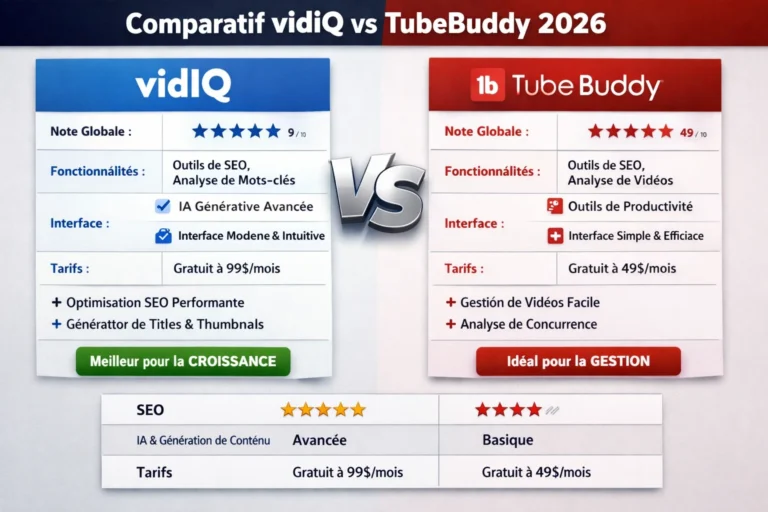
For YouTube-focused workflows, our VidIQ vs TubeBuddy comparison covers the main differences between the two platforms, while our guide to using VidIQ for YouTube growth walks through a practical workflow. For a broader creator-focused selection, see our best AI tools for YouTube creators guide.
For AI writing tools for YouTube creators, the main value is usually in research support, script outlines, hooks, descriptions, and revisions. A general AI assistant can handle the writing while a YouTube-focused tool can support the research and optimization side of the workflow.
Claude — Best for YouTube Scripts and Video Outlines
The same qualities that make Claude excellent for long-form blog content make it ideal for video scripts. It maintains narrative coherence across a 10-minute script, builds tension and payoff naturally, and can write in a conversational register that sounds natural when spoken aloud — which most AI tools struggle with.
Give Claude your video topic, your target audience, your channel’s tone, and an approximate video length. Ask it to produce a full script with timestamps, a hook, a body, and a call to action. The result requires some personalization, but the structural work is done.
Descript AI (Free Tier) — Best for Script + Editing Workflow
Descript combines AI writing assistance with video editing — meaning you can generate a script, record your video, and edit the footage by editing the transcript, all in one platform. The free plan has limitations on export quality, but for content creators testing the workflow, it demonstrates how dramatically AI can compress the video production timeline.
VidIQ Free — Best for YouTube SEO and Script Angle Research
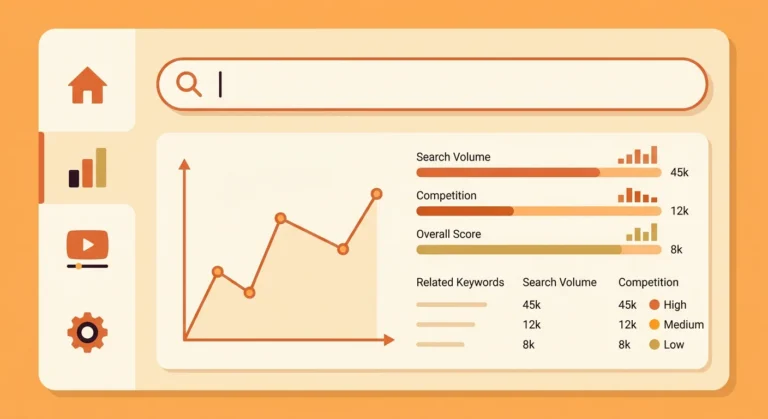
Before writing a script, you need to know what angle will rank and resonate. VidIQ’s free plan provides keyword research, competition analysis, and trending topic identification specifically for YouTube. Use VidIQ to find your angle and keyword, then use Claude to write the script — the combination is more powerful than either tool alone.
5. Best AI Writing Tools for Email Newsletters
Beehiiv AI (Free Plan) — Best for Newsletter Writing
Beehiiv has emerged as the leading newsletter platform for independent content creators, and its built-in AI writing assistant is included on the free plan. It helps with subject line generation, content ideation, and section drafts — all within the newsletter editor itself.
The subject line generator alone justifies using Beehiiv. Open rates live and die by subject lines, and Beehiiv’s AI generates dozens of variants with predicted open rate scores based on historical newsletter data. For content creators monetizing a newsletter, this feature has a direct impact on revenue.
Mailmeteor AI Free — Best for Personalized Email Outreach
For content creators who pitch brands, press contacts, or collaboration partners via email, Mailmeteor’s free plan personalizes outreach emails at scale using AI. It integrates directly with Gmail and can send hundreds of individually personalized cold emails — which dramatically improves response rates compared to generic blast campaigns.
6. Comparison Table — Top AI Writing Tools for Content Creators
For a broader comparison of the major general-purpose assistants, see our ChatGPT vs Claude vs Gemini comparison.
If your priority is the best free AI writing tools, compare the actual limits of each free tier rather than assuming that a free plan includes every major feature. Limits can apply to usage, advanced models, exports, or specialized features.
| Tool | Best Use Case | Free Plan | Voice Quality | SEO Features |
|---|---|---|---|---|
| Claude | Long-form blog, scripts | Daily limit | ⭐⭐⭐⭐⭐ | Manual |
| ChatGPT GPT-4o | Social media, brainstorming | Daily cap | ⭐⭐⭐⭐ | Manual |
| Writesonic | SEO blog posts | Limited credits | ⭐⭐⭐ | Built-in |
| Koala AI | Fast blog production | Trial credits | ⭐⭐⭐ | Built-in |
| Taplio | LinkedIn content | Limited posts | ⭐⭐⭐⭐ | LinkedIn-only |
| Beehiiv AI | Newsletter writing | Included free | ⭐⭐⭐⭐ | Email-focused |
| Descript AI | Video scripts + editing | Limited export | ⭐⭐⭐ | No |
| VidIQ | YouTube angle research | Basic free | N/A | YouTube SEO |
7. Pro Tips for Using AI Writing Tools Without Losing Your Voice
If you also work across client projects, our best free AI tools for freelancers guide covers a broader practical toolkit.
Tip 1 — Create a “voice document” for every AI tool you use. Write 3 to 5 paragraphs in your natural writing style, then paste this into your AI tool at the start of every session with the instruction: “Match this writing style exactly.” This single step dramatically reduces the editing time required to make AI output sound like you.
Tip 2 — Use AI for structure, yourself for substance. Let AI generate your outline, section headers, and transition sentences. Fill the actual content — the examples, the opinions, the original observations — yourself. This produces the highest-quality output with the lowest AI footprint.
Tip 3 — Never publish the first draft. AI writing tools produce first drafts, not final copy. Every piece of content you publish should go through at least one full editing pass where you read it aloud. If it sounds robotic when spoken, it will read robotic on the page.
Tip 4 — Use different tools for different stages. Research with Perplexity, structure and draft with Claude, polish with Grammarly, optimize for SEO with Writesonic or RankMath. A tool-specific workflow beats using one tool for everything.
Tip 5 — Track your output-to-effort ratio. Measure how many publishable pieces you produce per hour of work, before and after AI adoption. Most content creators see a meaningful improvements in workflow efficiency over time — use this data to justify AI tool investment to clients or collaborators.
8. FAQ
Q: Which AI writing tool is best for content creators who are just starting out? Start with Claude’s free plan for long-form writing and ChatGPT’s free tier for brainstorming and social media. Both are genuinely free, require no technical setup, and between them cover 80 percent of a typical content creator’s writing needs. Add Grammarly free for proofreading and you have a complete starter stack at zero cost.
Q: Will Google penalize AI-written content in 2026? Google’s official position is that it evaluates content quality, not the method used to produce it. AI-written content that is accurate, helpful, and original is treated the same as human-written content. The risk comes from low-quality, unedited AI output published at scale — not from thoughtfully edited AI-assisted content. Always edit, fact-check, and personalize before publishing.
Q: Can AI writing tools match my personal writing style? Yes, with the right prompting. Claude and ChatGPT both adapt well to style examples. Provide 3 to 5 paragraphs of your existing writing and ask the tool to match your tone, sentence length, and vocabulary choices. Results improve significantly over multiple sessions as you refine your prompting technique.
Q: How many AI writing tools should a content creator use? Two to three tools is the optimal range for most creators. One primary writing tool (Claude or ChatGPT), one SEO-focused tool (Writesonic or Koala), and one platform-specific tool (Taplio for LinkedIn, Beehiiv for newsletters, VidIQ for YouTube). More than three tools creates workflow friction without proportional benefit.
Q: Are paid AI writing tools worth the upgrade from free plans? For most content creators producing fewer than 20 pieces per month, free plans are sufficient. The upgrade becomes worthwhile when you hit consistent usage caps, need advanced team collaboration features, or require integrated SEO workflows that free plans don’t provide. Test free plans fully before committing to any paid subscription.
9. Conclusion
The best AI writing tools for content creators in 2026 are not here to replace your creativity — they’re here to remove the friction between your ideas and your audience. From Claude’s unmatched long-form writing capability to ChatGPT’s brainstorming speed, Beehiiv’s newsletter intelligence, and VidIQ’s YouTube research power, there’s a purpose-built tool for every format you create.
The creators who will dominate their niches over the next 12 months are the ones building AI into their workflows now — not as a shortcut, but as a force multiplier for work they were already doing well.
Pick one tool from this list that addresses your biggest content bottleneck, integrate it for two weeks, and measure the impact before adding anything else.
Ready to create more without burning out? Start with Claude — it’s free, it’s powerful, and it’s the AI writing tool that most serious content creators come back to.



Yes, this solution remains the cheapest for students